
Bring your places from anywhere. Open them in the map that works.
Maptinerary does not write your trip. Build it in the app from Google Maps, Naver or Kakao places, or bring in a plan from any planner. Confirm each stop once, and it opens in Naver Map, KakaoMap or Google Maps.
Android and iPhone. Free during the beta. No account. Your trips stay on your phone.
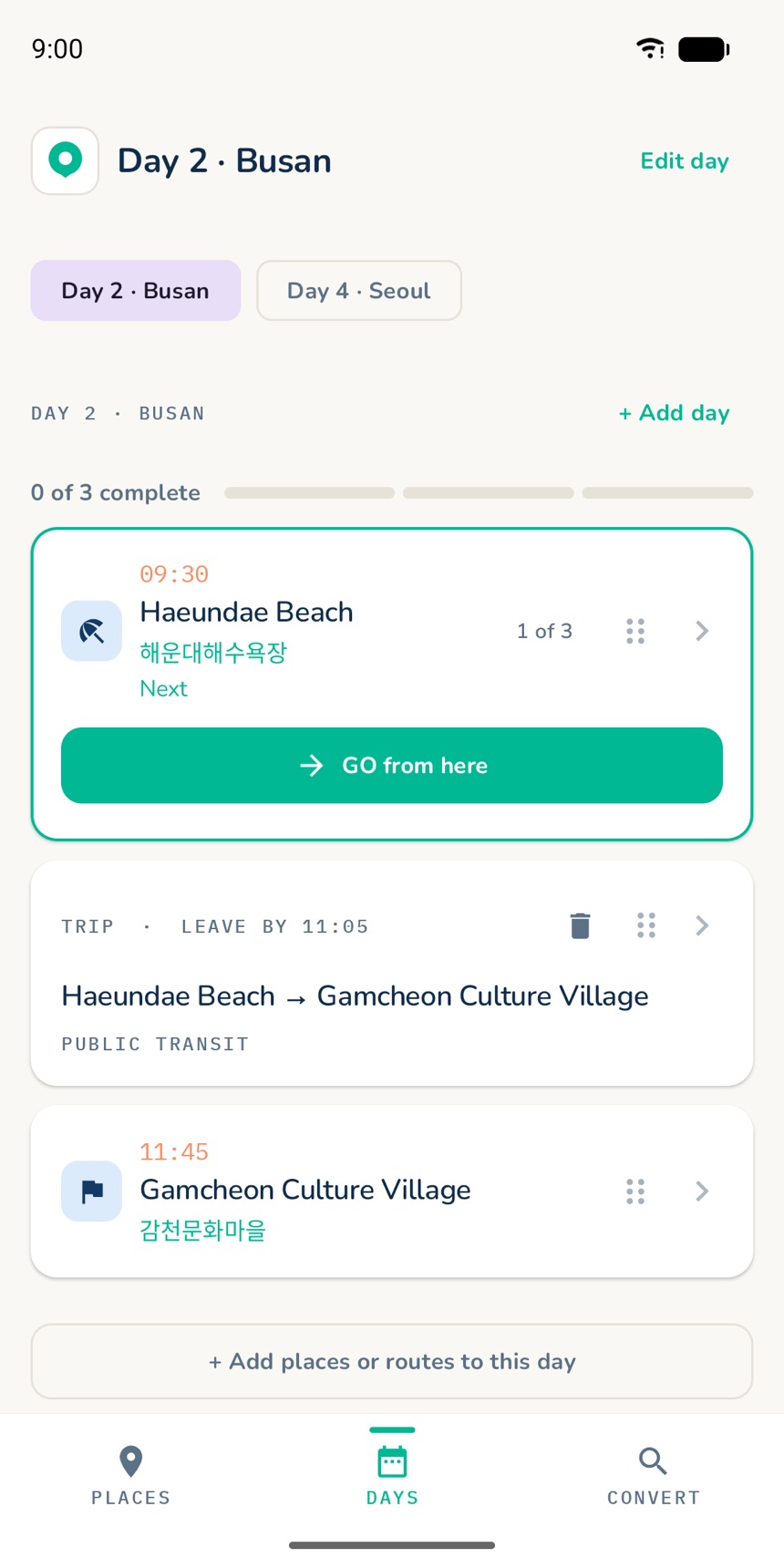
Sharefrom Google Maps, Naver or Kakao
Scana screenshot or photo
Importa plan from any planner
Goin the right map for the place
Three steps. One trip you can trust.
Bring the plan you already made. Maptinerary checks the places, then hands each stop to your map app.
-
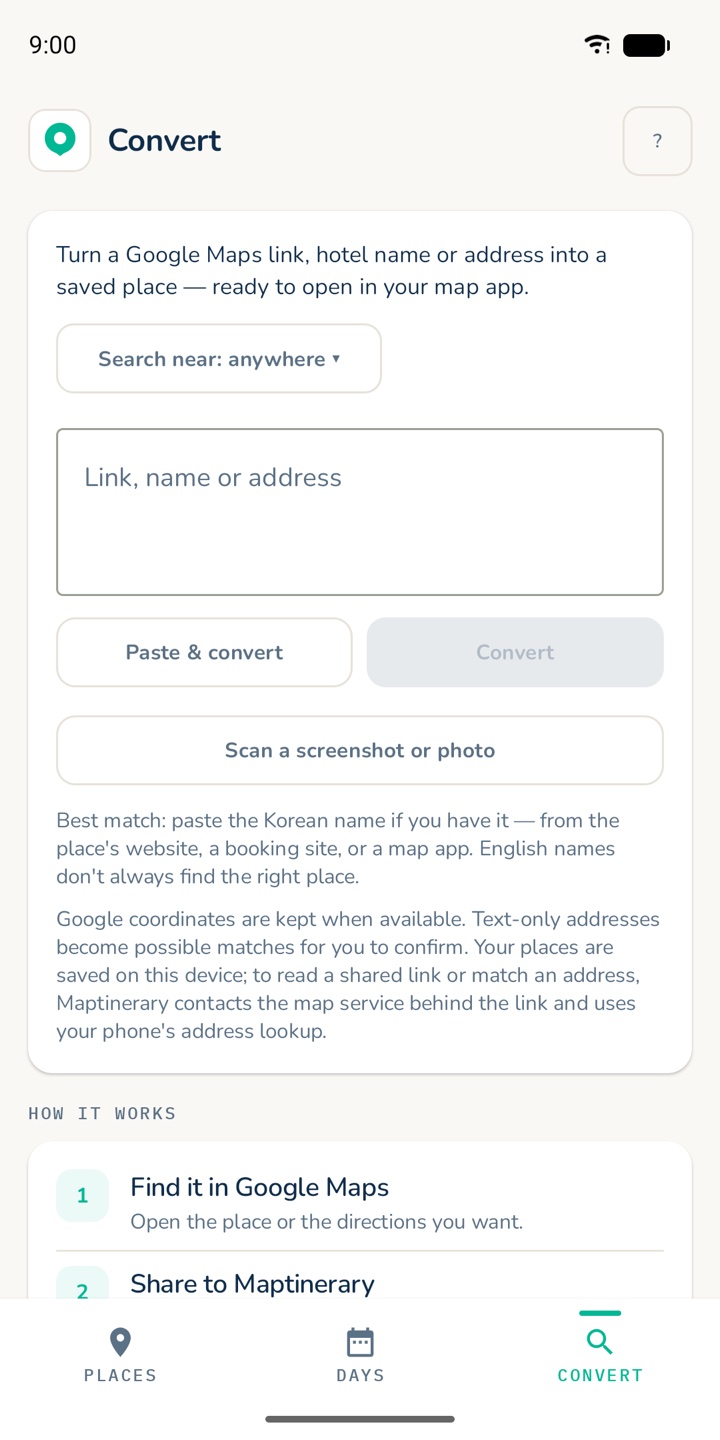
Add your places
Share places from a map, scan a screenshot, or import your plan.
-
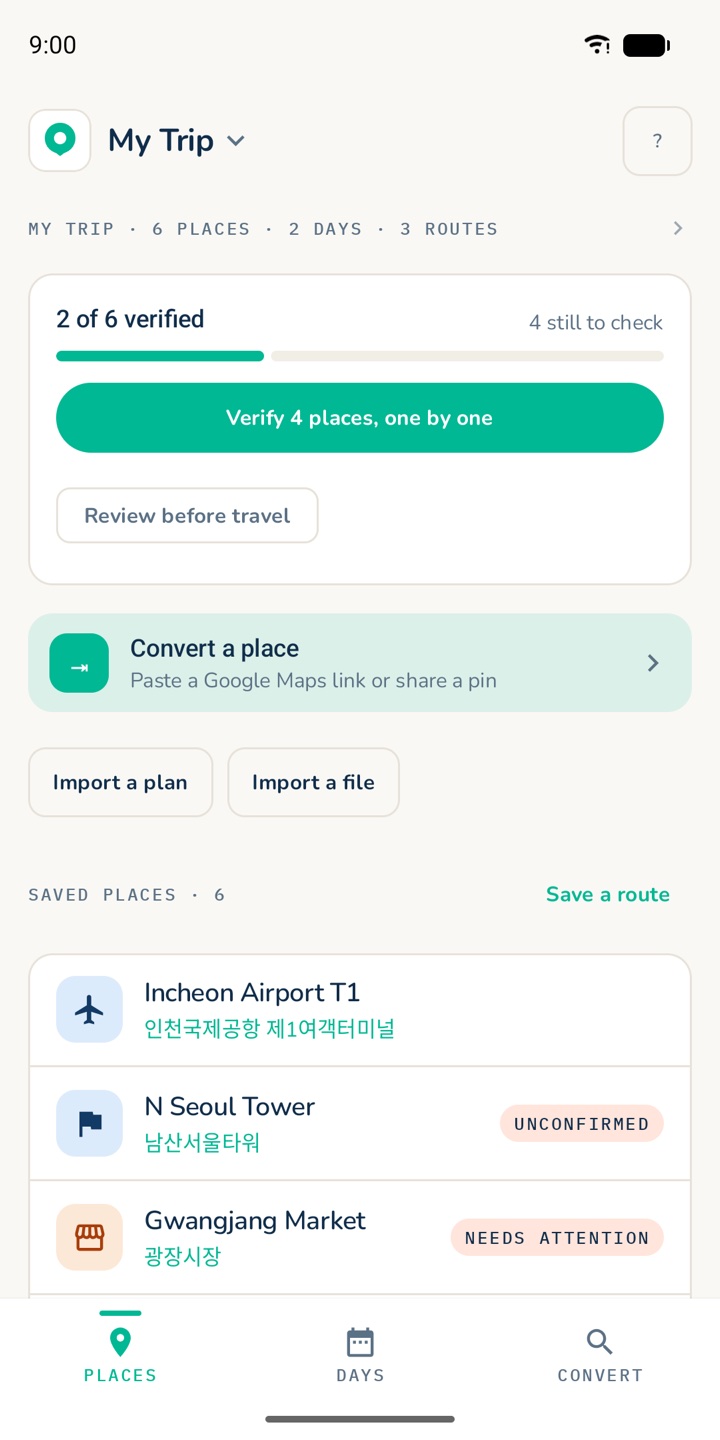
Confirm the match
Check each place once. If the map returns a different city or name, you are warned.
-
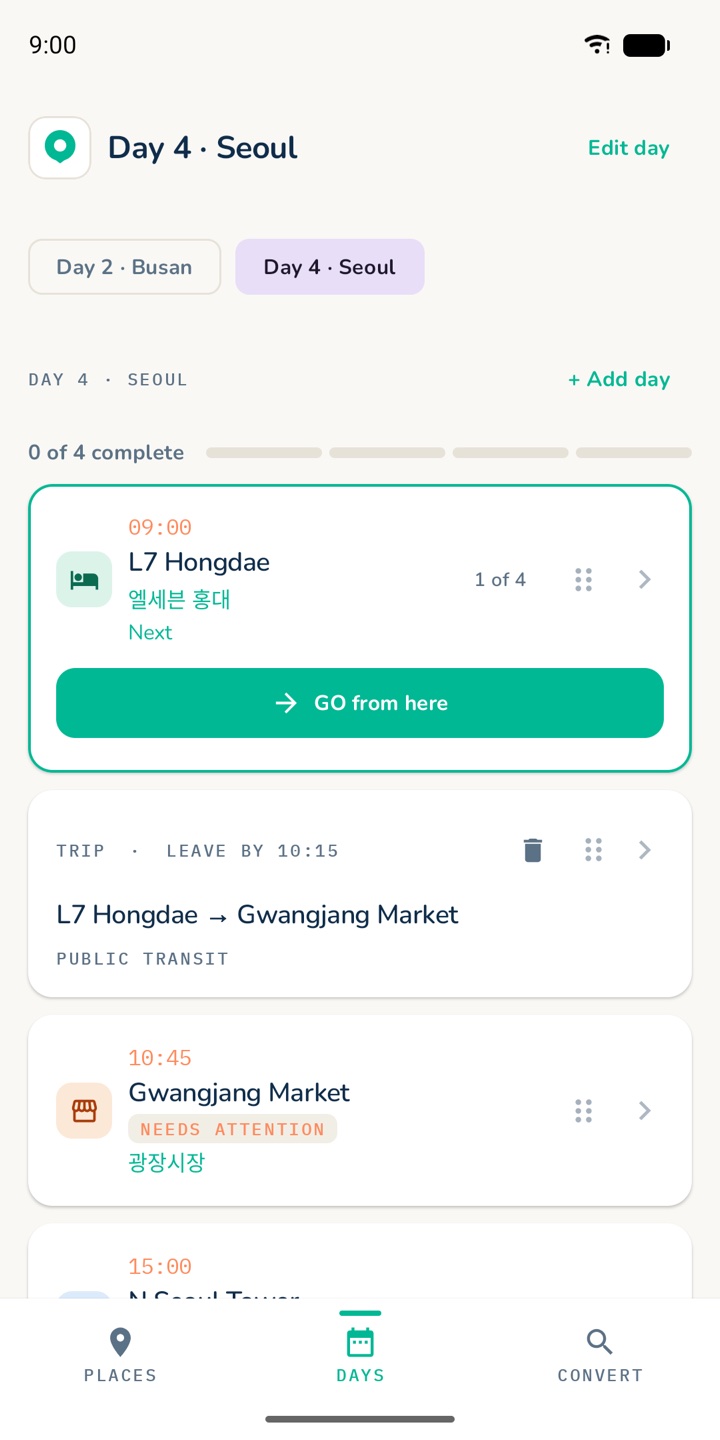
Open and go
Open each stop in the map app you prefer. Your map app does the routing.
How confirming works
Every place you add or import starts unconfirmed. Find it once in Google Maps, Naver Map or KakaoMap, share it back, and Maptinerary keeps that exact place. If the result is in a different city, or has a clearly different name, you are warned before anything is saved. Routes only open between confirmed places.
In Korea, Google Maps is not enough
Naver Map and KakaoMap know Korean addresses, building names and transit far better than Google does, and they search best in Korean.
Maptinerary keeps both names for each place, searches the right one in the right app, and lets you choose which map opens.
| Opens in | Naver Map, KakaoMap, Google Maps |
|---|---|
| Platform | Android and iPhone |
| Price | Free during the beta |
| Account | None. No ads. |
| Your trips | Stored on your phone. Export to a file you keep. |
| Location | Never requested by the app |
Private by design
Your itinerary belongs on your phone—not in another account.
No sign-up required
Your trip is ready without another password.
Local-first trip storage
Your places, notes and day plans stay on your device.
On-device screenshot scanning
Photos are processed on your device, not uploaded for recognition.
Help shape the first release
Take Maptinerary on your next trip.
The private beta is free. We’re looking for travellers who will try real itineraries, report what gets in the way and help make the app dependable before public release.
- Android and iPhone
- No payment details
- Direct line to the developer
Join the iPhone beta on TestFlight
Opens in the free TestFlight app. On Android, request access with the form.
Questions travellers ask
Before you pack.
Still wondering if it fits your trip? Email [email protected].
How do I move a Google Maps itinerary to Naver Map?
There is no one-tap transfer, because the two apps use different place databases, so a Google list cannot simply be imported. What works is doing it place by place: find each place’s Korean name and address, search it in Naver Map, and save it there. In Maptinerary you share each place from Google Maps, confirm it once in Naver Map or KakaoMap, and every Directions tap then opens it in the map you chose.
Google Maps vs Naver Map vs KakaoMap: which should tourists use in Korea?
Most travellers use more than one. Google Maps is familiar, works in English and is good for research and reviews, but its directions inside Korea have historically been more limited than at home, so check them before relying on them. Naver Map and KakaoMap are the apps most Koreans use, with detailed local listings, transit and addresses, and they search best in Korean. A common approach is to research in Google, then navigate in Naver or Kakao. Maptinerary lets you choose which one opens.
How do I search a Korean address when I only know the English name?
English spellings of Korean names are inconsistent, so searches often miss. Find the Korean name first, from the place’s own website, a booking confirmation or Google Maps set to Korean, then paste it into Naver Map or KakaoMap and add the district or city if there are several. Search by name or by address, not both joined together, as that can return an empty map. Maptinerary keeps both the English and the Korean name for each place and searches the Korean one in Naver and Kakao.
How do I turn a ChatGPT Korea itinerary into something usable?
A written itinerary is only a list of names, and AI can get names, addresses or opening details wrong, so every place needs checking. Ask for each stop with its English name, Korean name, address, city and day, then confirm each one on a map before you travel. Maptinerary’s Import a plan reads that list, finds each place on a map, and asks you to confirm the ones it is not sure of. It does not write your trip. It checks the one you already have.
Does Maptinerary plan my trip?
No. It organises the trip you already chose, then makes it easier to follow while travelling.
Do I need AI?
No. Share places from map apps, scan screenshots or add places manually. AI is only an optional shortcut for importing a complete itinerary.
Is it only for Korea?
No. Korea is the focus because travellers often need several map apps there, but trips and navigation handoffs work worldwide.
Where is my trip stored?
On your device. Maptinerary does not require an account or store your itinerary on its own server.
What does the beta cost?
Nothing. The private beta is free, and public-release pricing has not been finalised.